Epic Firewall | HydraVeil 2.6.7
We're laying the foundation for multi-protocol obfuscation with advanced firewall features.

Interfaces vs IPs
Previously our app relied solely upon network interfaces, while we are now shifting to interfaces PLUS IP addresses. This means the firewall is forcing the traffic through the VPN’s IP, or it can’t get the internet. PLUS the default interface blocking.
The reason for this redundancy is not only improved security, but to lay the foundation for further system-wide protocols beyond just Wireguard, which we will be rolling out over the next few months. We aim to first pave the way with Firewall & DNS systems, then apply it in a protocol-agnostic style.
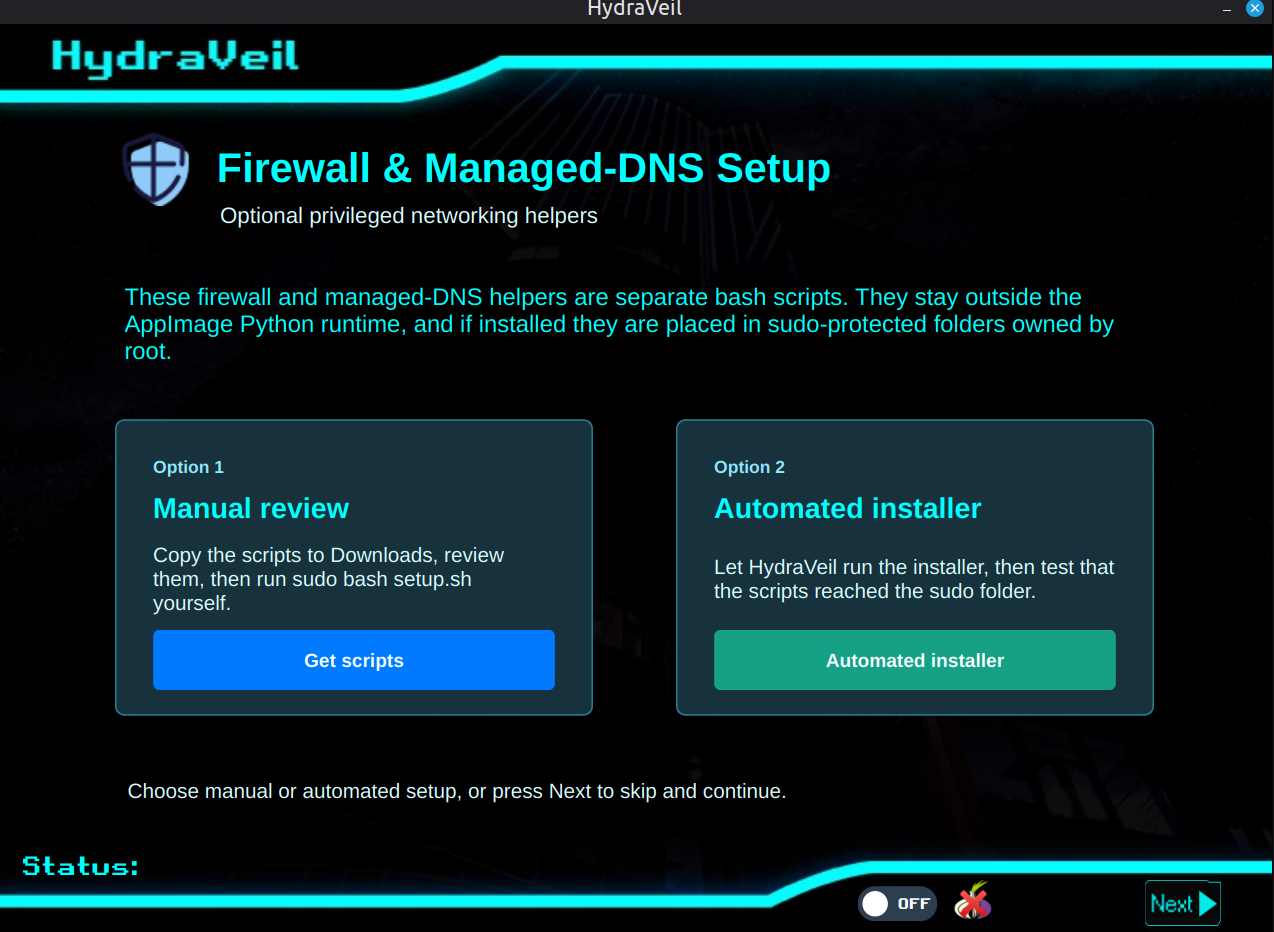
Setup
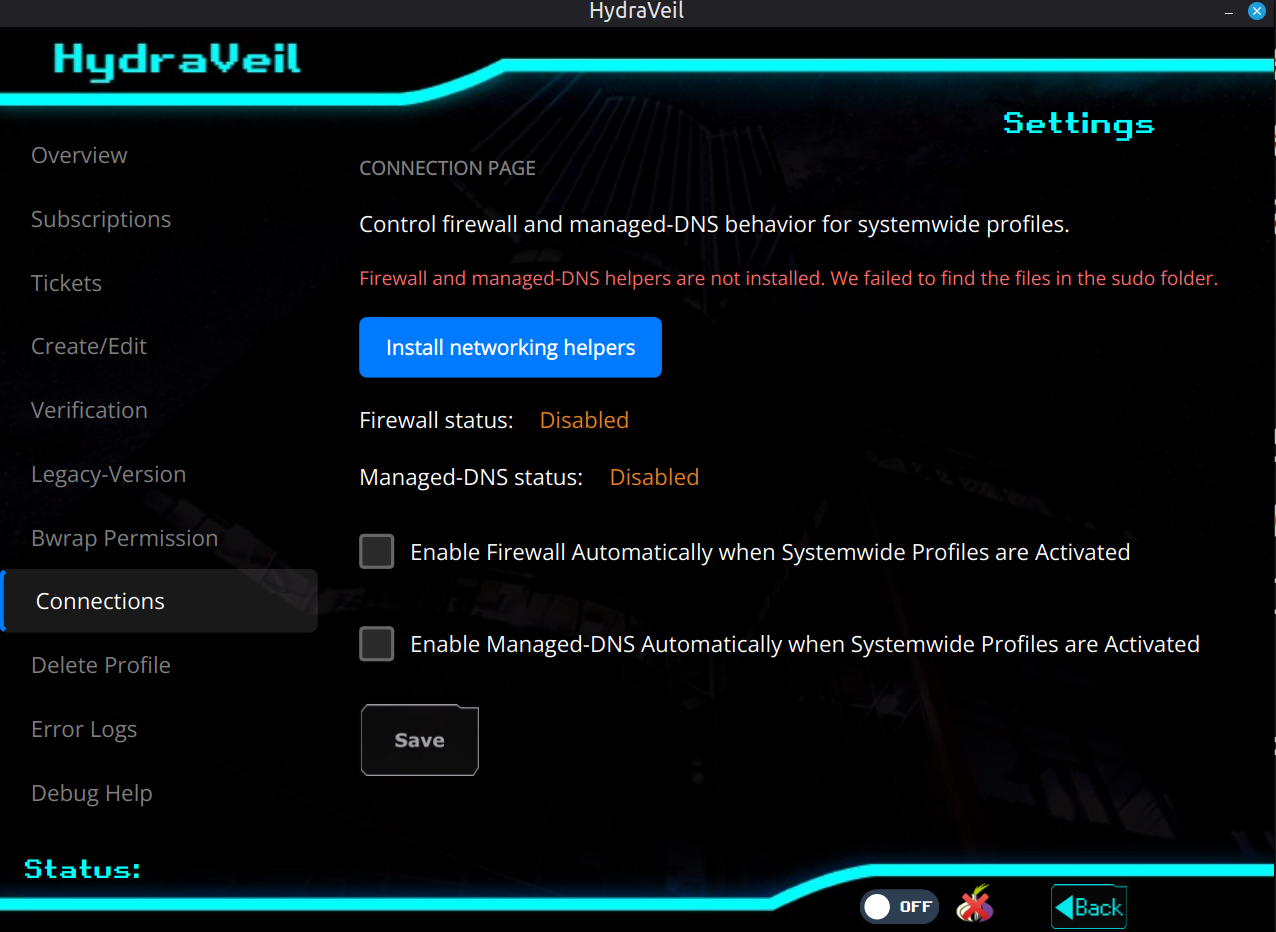
Users now can setup and enable this in the settings tab for experienced users, or for brand new users in the initial setup menu. Click “Setup” the blue button
Security: Root Isolation
Our system does NOT force a 24/7 daemon with sudo, like most other commercial VPNs. Instead we have limited bash scripts which are visudo exempted, and write-protected by root. This means the user can clearly see/edit the small isolated bash scripts with root, and keep the rest of the Python app completely away from sudo. This is more secure and transparent, while not requiring a constantly running sudo program.
Optional
Note: You can continue to use the system-wide VPN without this if you’d like, it is optional. However, we strongly recommend it.
No Change for Browser Profiles
Browser-based profiles are unaffected by this change. If you ONLY use those, then you don’t need to bother with the firewall/DNS setup.
KVM & Docker Issues
The current hardcore firewall implementation blocks KVM and Docker from getting the internet, because they use alternative internal interfaces and internal IPs. We recommend disabling the firewall temporarily when using KVM or Docker. Then flipping it back on after. I’m referring strictly to the firewall, not Wireguard.
Download link:
https://api.hydraveil.net/downloads/linux-x86_64/clients/v2.6.7/appimage/hydra-veil-x86_64.AppImage
Verify
If you wish to verify it, you may run this command:
sha256sum [filename]
It should spit out this for 2.6.7:
14f8d05ce7ba0e8430374ec9b7584e702916c0293fd0386b09aa3f5890fef0e3
PGP
Please see this text file for a PGP sign. Our PGP key can be found here
If problems:
If you have issues, please try to run it in DEBUG mode, to get terminal output of each step,
DEBUG=true ./hydra-veil-x86_64.AppImage
Gitlab with changes:
https://git.simplifiedprivacy.com/explore/repos
Tutorials / Help:
If you really want to learn and take your privacy to the next level, Learn about HydraVeil,
Access our VPN, and subscribe to our new content via:
Podcast,
Email List,
Nostr,
Bastyon,
RSS,
or join the Signal Group
Related Posts

Tickets are Now Nearly Instant | HydraVeil 2.8.0
The cryptographic math is now compiled in C.
[SP]
Sep 22, 2026

Identity Respawn | HydraVeil 2.7.8
Now when you delete a profile, you get an encryption-based ticket back, turning you into a new person.
[SP]
Aug 20, 2026

Diamond in the Rough | HydraVeil 2.7.7
A face lift for the API connections
[SP]
Aug 7, 2026

Improved Tor Sync & Error Handling | HydraVeil 2.5.7
Solved Tor compatability problems for many distros, and improved database handling.
[SP]
Jul 19, 2026